
📄 Summary: What You’ll Learn in This Article
The article introduces the Details Module in Marmind, a tool that is used to view, edit, and manage all essential information and metadata of a selected marketing object in a centralized and structured interface.
-
Location of the details module
-
General applications of the cost module
🧑🤝🧑 Who Should Read This?
This article is most useful for:
-
Marketing Professionals, Marketing Operations Managers, Business leaders who are interested in Marmind’s features
-
New Marmind Users
✔️ Prerequisites: What Should You Know Before Getting Started?
Level: Easy
Access required: None
-
No prior knowledge is required. This is an introductory article for those exploring Marmind for the first time.
Where to find the Details module
You can find the details module in the module bar. In combination with clicking on an area in the navigation bar, you will be able to see an overview of the specific area immediately.
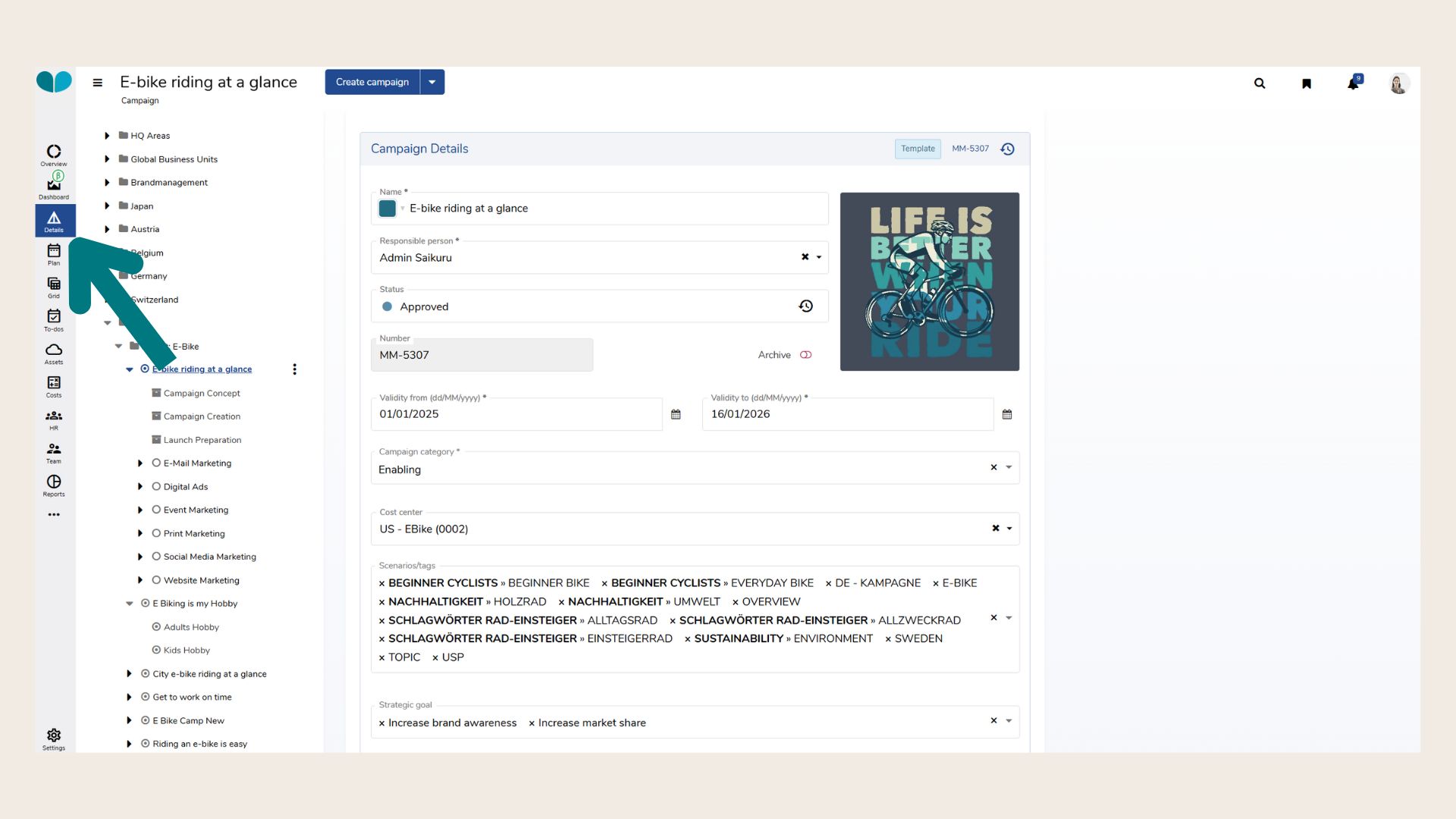
What is the Details module generally used for?
The Details Module is the central interface for viewing and editing marketing object information in Marmind. It serves as a unified view for accessing and maintaining all relevant details associated with workspaces, campaigns, projects, activities, and more.
Key Functionalities
-
Unified Object Overview
Presents all key information for a selected marketing object in a structured, tab-based layout. This includes metadata, descriptions, publication dates, custom fields, and linked elements such as products, audiences, or related campaigns. -
Different levels of detail depending on selected object
Depending on the object you select in the navigation tree, the Details module will show different categories and fields: from the responsible person to descriptions, cost centers, target audiences or products.
❓ FAQs