
📄 Summary: What You’ll Learn in This Article
The article introduces the main functionalities of the To-Dos Module in Marmind, explaining how it supports structured task management across all levels—from simple reminders to complex, milestone-based coordination. With multiple views, integrated notifications, and contextual linking, the module helps teams stay aligned and get things done.
-
Location of the To-Dos module
-
General applications of the To-Dos module
🧑🤝🧑 Who Should Read This?
This article is most useful for:
-
Marketing Professionals, Marketing Operations Managers, Business leaders who are interested in Marmind’s features
-
New Marmind Users
✔️ Prerequisites: What Should You Know Before Getting Started?
Level: Easy
Access required: None
-
No prior knowledge is required. This is an introductory article for those exploring Marmind for the first time.
Where to find the To-Dos module
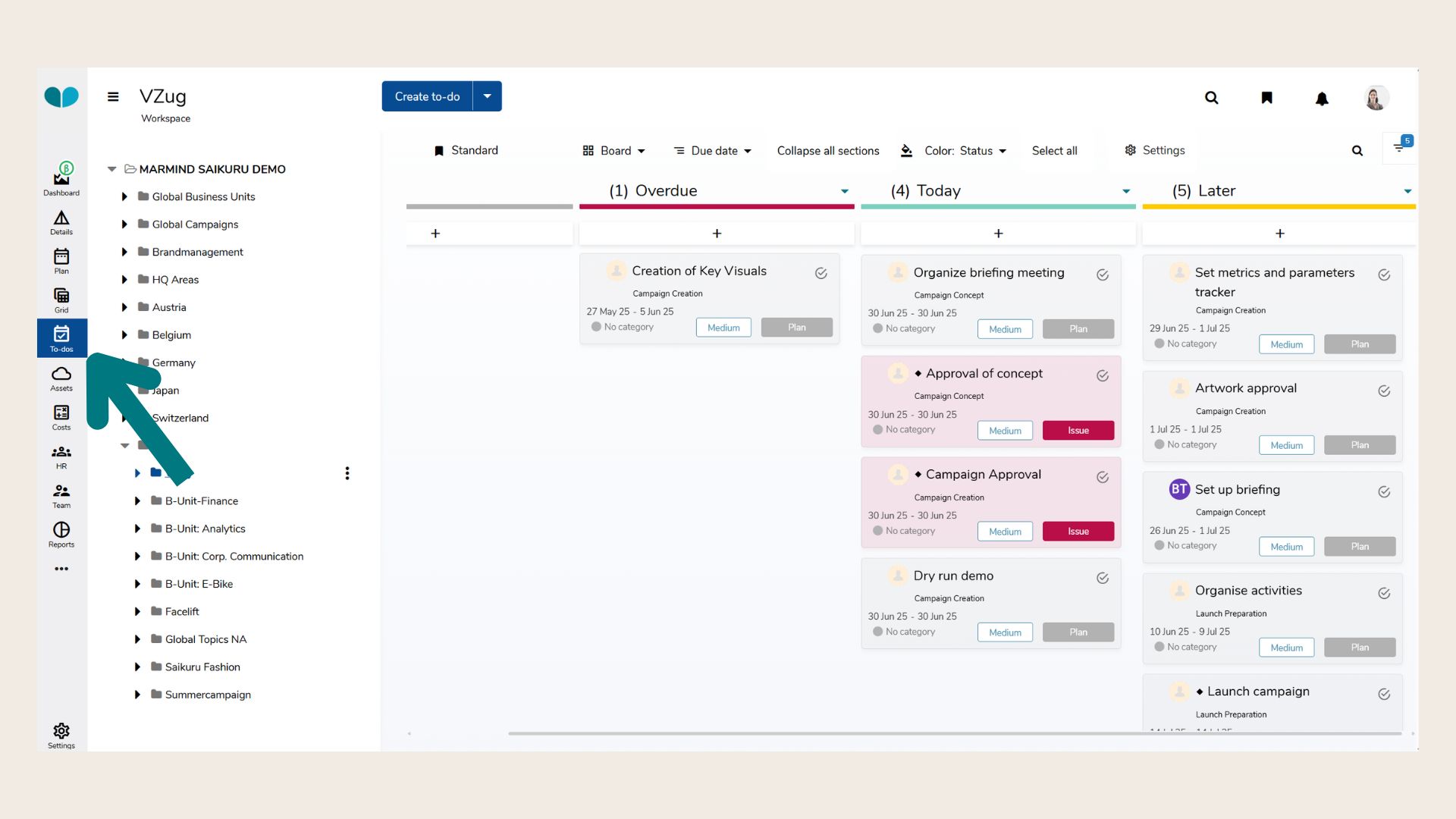
You can access the To-Dos Module by selecting any object (Workspace, Campaign, Project, or Action) in the navigation tree and then clicking the “To-Dos” section in the left-hand navigation panel. From there, you can manage all related tasks in one place.
Create a new To-Do
-
Navigate to the relevant object in the hierarchy.
-
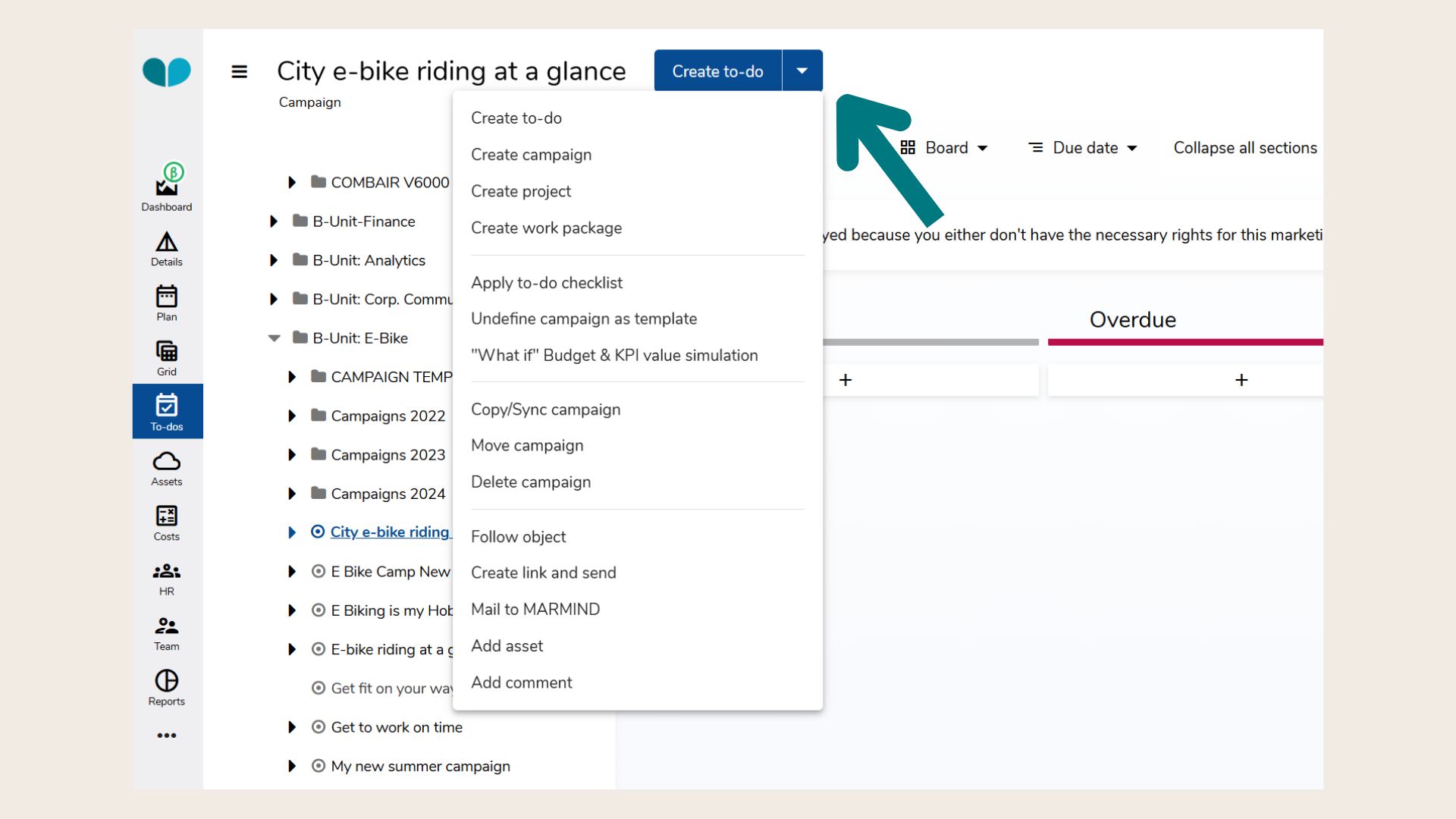
Use the “Next Steps” (three dots) menu or the “Create To-Do” button in the To-Dos Module.
-
Within the Plan Module, simply click on a free space to add a new To-Do—select the desired time window (start and end date) by dragging your mouse.
To-Dos are always created in context, meaning they are directly tied to the object (workspace, campaign, etc.) you’re currently in.
What is the To-Dos module generally used for?
The To-Dos Module in MARMIND is designed to support operational marketing execution by enabling teams to plan, assign, track, and complete task-level activities within campaigns and projects. It helps ensure accountability, transparency, and collaboration across all levels of marketing work.
Key Functionalities
-
Task Management Across All Object Levels
To-dos can be created and linked to any marketing object—workspace, campaign, project, or action—enabling structured task tracking in any context. -
Assignment and Collaboration
Tasks can be assigned to individuals or user groups, with support for responsibilities, mentions, and notifications to keep everyone aligned. -
Status and Progress Tracking
Supports multiple status levels (e.g., open, in progress, done) and progress indicators (e.g., percentage complete or checklists), offering transparency over task states. -
Checklist and Subtask Support
Enables preconfigured checklists for recurring workflows and supports subtasks within to-dos to break down complex activities into manageable steps. -
Drag & Drop in Board and List Views
Tasks can be reordered or rescheduled with ease using drag & drop in Kanban-style boards or list views—perfect for agile working styles. -
Flexible Grouping and Filtering
Tasks can be grouped by status, priority, due date, category, responsible person, or other custom fields. Filters also support quick access to your own tasks (e.g., "My To-Dos"). -
Date and Deadline Management
Tasks include start and due dates, and support reminders and escalation settings. Adjusting dates updates task groupings automatically in the UI. -
Notifications and Mentions
Users are alerted to new assignments, changes, or mentions via the Notification Center and (optionally) by email, ensuring timely responses. -
Custom Fields and Categorization
To-dos can include custom fields and categories tailored to your processes, supporting more detailed tracking and reporting. -
Integration with Workflows
To-dos can be automatically generated or updated through workflow steps, making them an integral part of structured marketing processes. -
Visibility Controls
Completed and archived tasks can be shown or hidden to maintain focus, while filters allow users to find relevant tasks quickly. -
Reporting and Performance Insight
To-do data contributes to operational KPIs and can be surfaced in dashboards and reports to assess productivity and task throughput.