
📄 Summary: What You’ll Learn in This Article
The article introduces the main functionalities of the Assets Module in Marmind, explaining how it supports centralized content management, collaboration, and approval processes across your marketing ecosystem. From simple keywording and versioning to advanced workflows and external sharing, the module enables seamless handling of all marketing assets within context.
-
Location of the Assets module
-
General applications of the Assets module
🧑🤝🧑 Who Should Read This?
This article is most useful for:
-
Marketing Professionals, Marketing Operations Managers, Business leaders who are interested in Marmind’s features
-
New Marmind Users
✔️ Prerequisites: What Should You Know Before Getting Started?
Level: Easy
Access required: None
-
No prior knowledge is required. This is an introductory article for those exploring Marmind for the first time.
Where to find the Assets module
You can find the Assets Module within any marketing object in Marmind—such as a workspace, campaign, project, or action. Navigate to the relevant object and click on the “Assets” section in the left-hand navigation panel to view and manage all associated content.
.jpg?cb=320f9530ea359476b1e9f5bb71f70246)
All files stored within a Marmind object are displayed in the Assets Module. The list can be filtered, sorted, grouped, or displayed in different layouts:
-
List View – Shows detailed metadata including custom fields
-
Compact View – Provides a quick visual overview via thumbnails
-
Grouped Views – Sort by category, type, or status for easier management
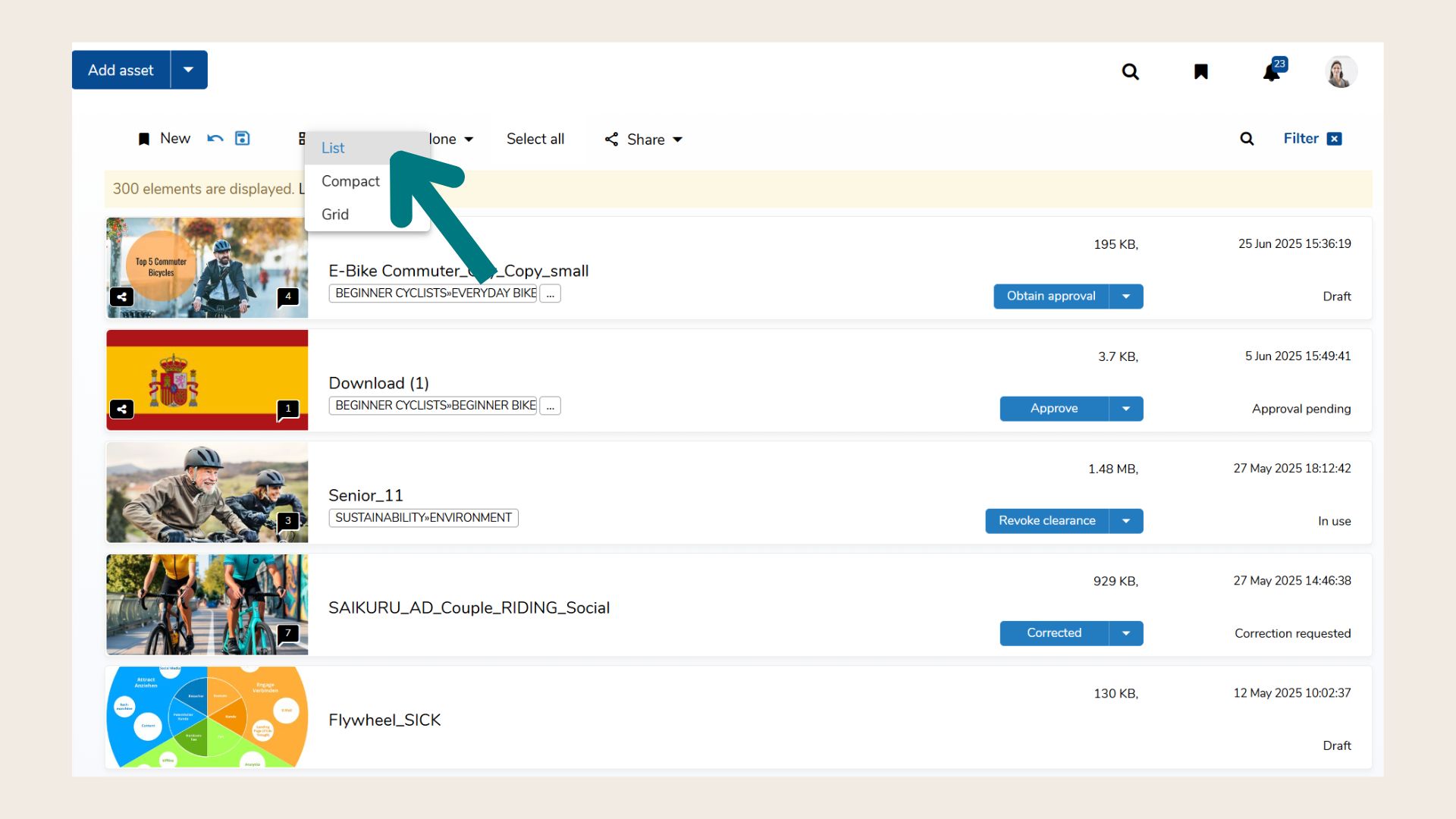
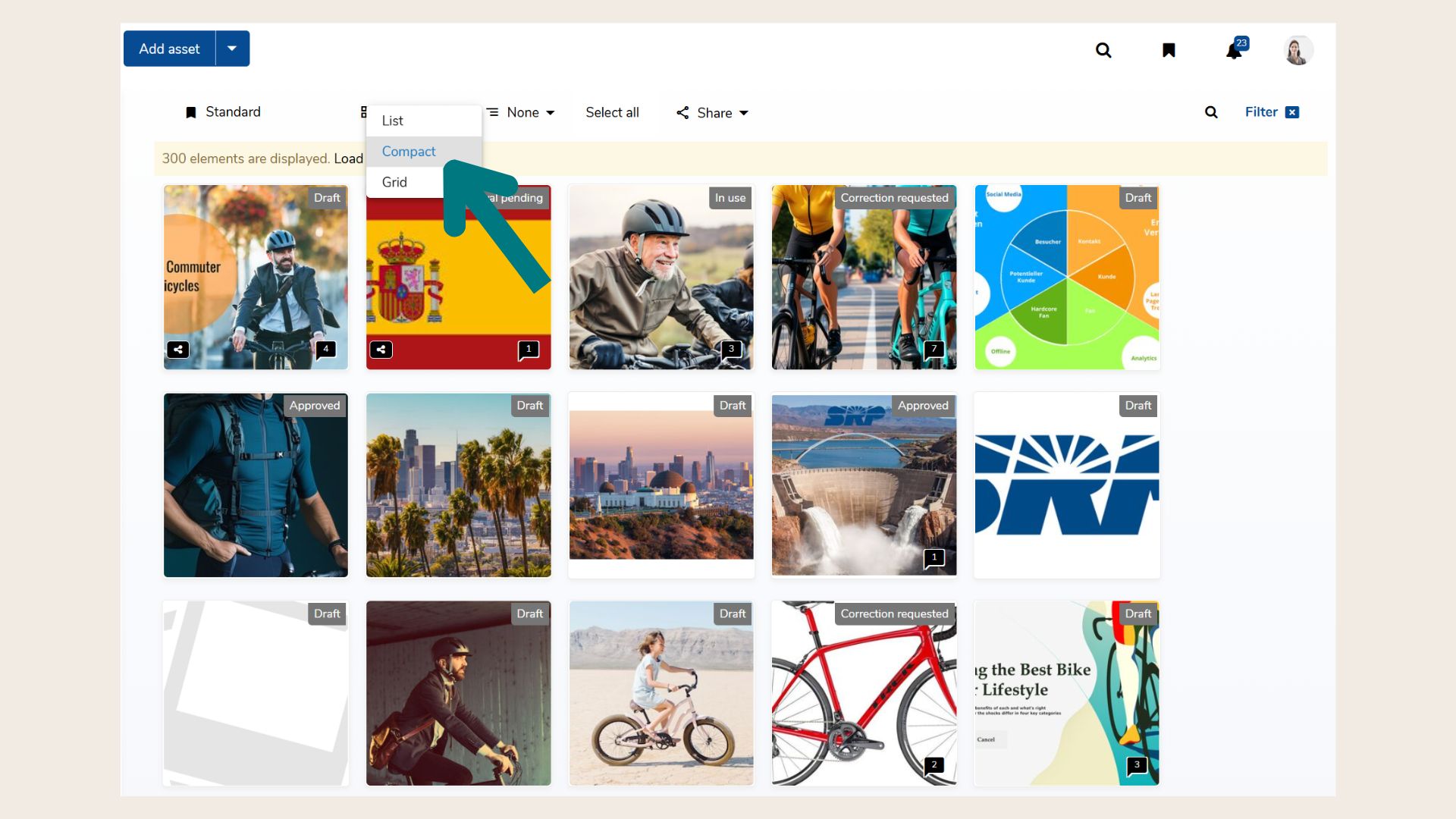
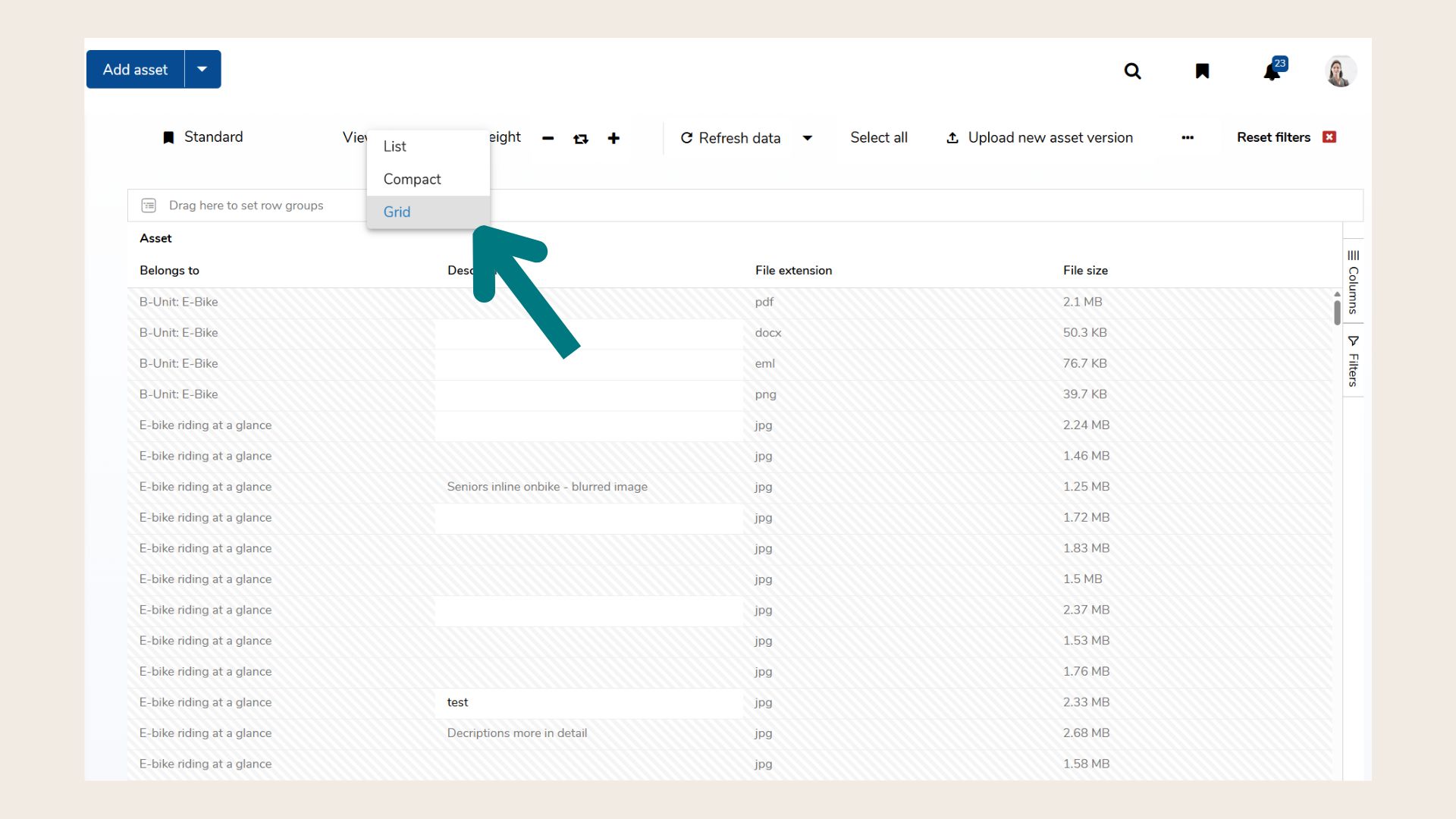
You can single- or multi-select assets to edit them in bulk or perform actions like tagging, assigning workflows, or sharing.
What is the Assets module generally used for?
The Assets Module acts as a centralized content hub, supporting the development, collaboration, and approval of marketing content in context. Assets are always linked to the marketing object they belong to, ensuring structured storage and traceability.
Key Functionalities
-
Centralized Asset Storage
All files—images, videos, documents, presentations—are stored within the context of your campaigns and activities. -
Keywording, Tagging & Metadata
Add metadata, keywords, and custom fields to make assets searchable and easily filterable. -
Versioning & History
Upload new versions while keeping a full version history—ideal for collaborative content creation and compliance. -
Annotations & Feedback
Add comments and visual annotations directly to assets for efficient review cycles. -
Approval Workflows
From simple review processes to complex, multi-step approval workflows with due dates, escalation rules, and export options. -
User Collaboration & External Sharing
Share assets with internal teams or external stakeholders, with control over access and notifications. -
Integrated with MARMIND MAM and External DAMs
Use the Marmind MAM component for seamless content collaboration. Integrate external DAM systems like CELUM or Censhare to build a fully connected content ecosystem. -
Sorting, Filtering & Grouping Options
Flexible display options make it easy to locate, organize, and manage large volumes of content.