
📄 Summary: What You’ll Learn in This Article
This article introduces Brand Studio, a new module in the Entirely Ecosystem deeply integrated with Marmind. It explains what Brand Studio is, who it is for, how it works, and what its key capabilities are; giving marketing teams everything they need to understand how Brand Studio enables governed, self-service content creation at scale.
-
What Brand Studio is and why it exists
-
How Brand Studio's two-tier governance model works
-
Key capabilities of Brand Studio
-
How Brand Studio complements Marmind
-
AI capabilities in Brand Studio
🧑🤝🧑 Who Should Read This?
This article is most useful for:
-
Enterprise marketing professionals and marketing operations managers looking to streamline content production across distributed teams
-
Brand managers and administrators responsible for maintaining brand standards and compliance
-
New users exploring the Entirely Ecosystem and how Brand Studio fits alongside Marmind
✔️ Prerequisites: What Should You Know Before Getting Started?
Level: Beginner
Access required: At least one active Entirely product (e.g., Marmind, Facelift, or Censhare) is required for authentication.
-
No deep technical knowledge is required. This is an introductory article for those exploring Brand Studio for the first time.
-
Familiarity with Marmind is helpful but not mandatory.
What is Brand Studio?
Brand Studio solves a critical enterprise challenge: how to give distributed business users the freedom to create localized marketing content quickly, while maintaining centralized control over brand standards, approved content, compliance, and quality.
It eliminates the tension between speed and governance; self-service marketing asset production accelerates content creation, reduces creative bottlenecks, cuts production costs, and dramatically improves time to market.
Brand Studio is part of the Entirely Ecosystem, deeply integrated with Marmind and sharing authentication and data models. It is built on a cloud-native, microservices architecture that is API-first and AI-ready from the ground up.
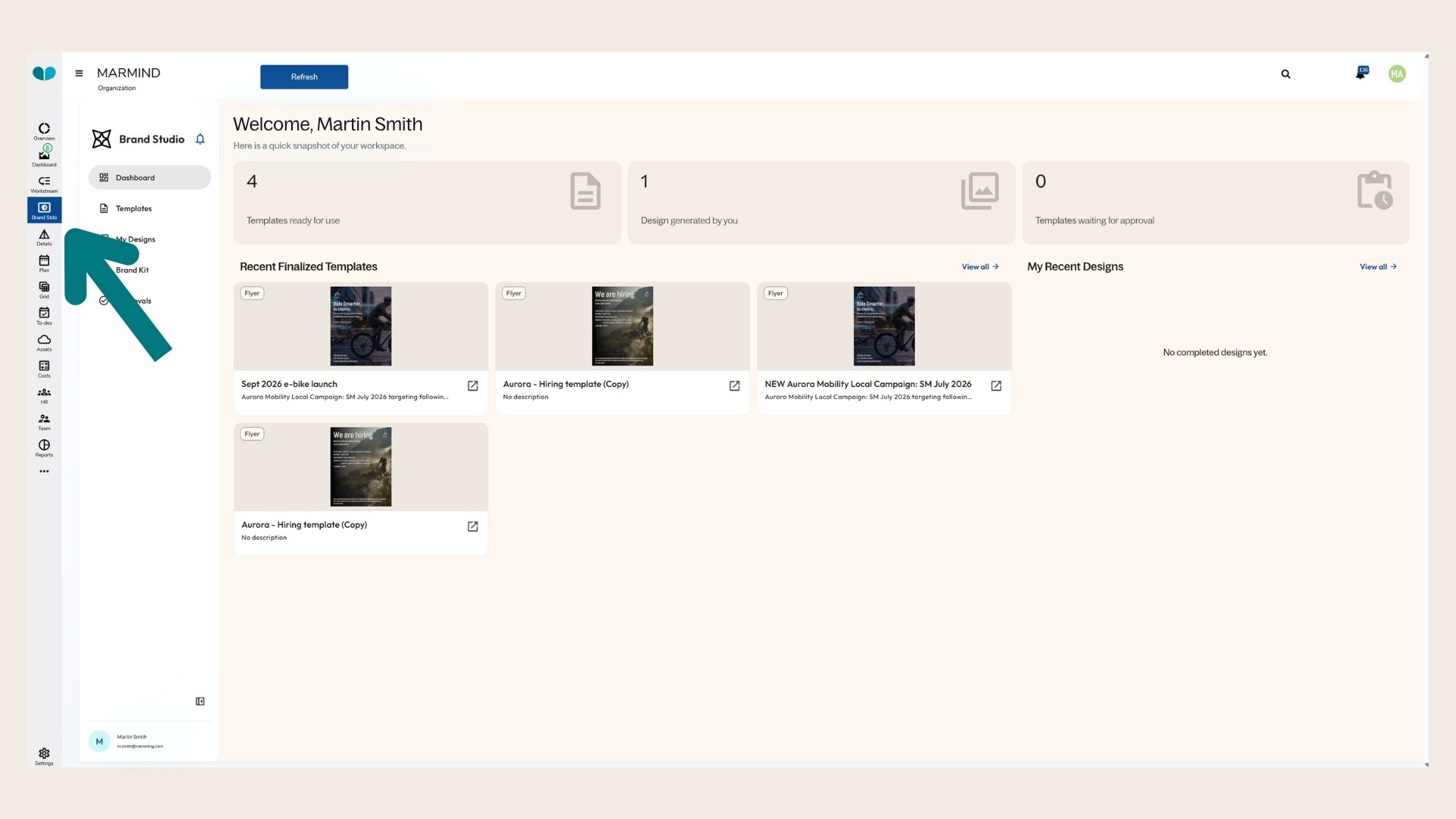
Where to find the Brand Studio Module
You can find the plan module in the module bar. In combination with clicking on an area in the navigation bar, you will be able to see the Module for the selected object.
How Does Brand Studio Work?
Brand Studio operates through a two-tier governance model:
-
Brand Administrators define and lock critical elements - such as logos, colour palettes, legal disclaimers, and layout structures - while explicitly specifying which fields end users are permitted to edit.
-
End Users fill only the permitted fields. They cannot move, resize, or recolour locked elements, ensuring every output is compliant by design, not by review.
This means brand consistency is built into the process itself, not enforced after the fact.
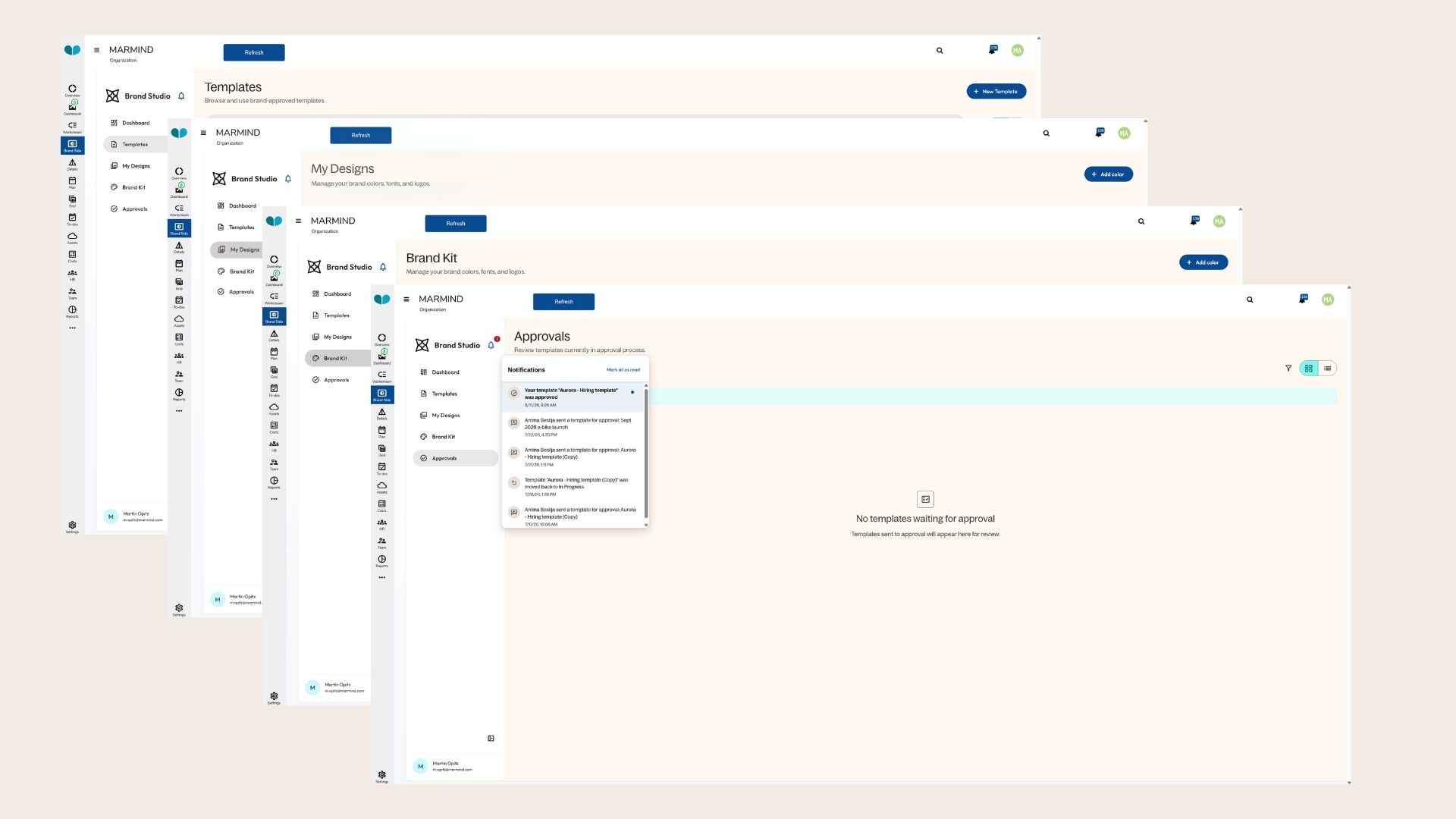
Key Capabilities
-
Controlled Template Authoring: Lock/editable field definitions give administrators full control over what can and cannot be changed in each template.
-
Brand Assets Library with DAM Integration: Enforces asset rights and expiry at the point of selection, preventing use of outdated or unauthorized assets.
-
AI Assist: Provides field validation, content suggestions, and smart error detection. AI operates strictly within administrator-defined bounds and cannot override governance rules.
-
Role-Based Approval Workflows: Full audit trails ensure accountability and compliance throughout the content creation process.
-
PIM System Integration: Automatically generates template variations from product data (e.g., one template producing hundreds of product-specific flyers).
-
Multi-Format Output: Supports PDF, digital, and web-to-print output formats.
-
Full Versioning and History: All changes across templates and outputs are tracked and accessible.
-
Regional Template Hierarchies: Global master templates can have regional variants that maintain locked brand elements while permitting local customization.
How Brand Studio Complements Marmind
Marmind focuses on planning, orchestration, and coordination; not content creation. Brand Studio fills that gap.
|
Marmind |
Brand Studio |
|---|---|
|
Plans what work needs to happen |
Executes that work through governed templates |
|
Manages campaigns and timelines |
Produces the on-brand assets those campaigns require |
|
Coordinates teams and budgets |
Enables non-designers to create compliant materials at scale |
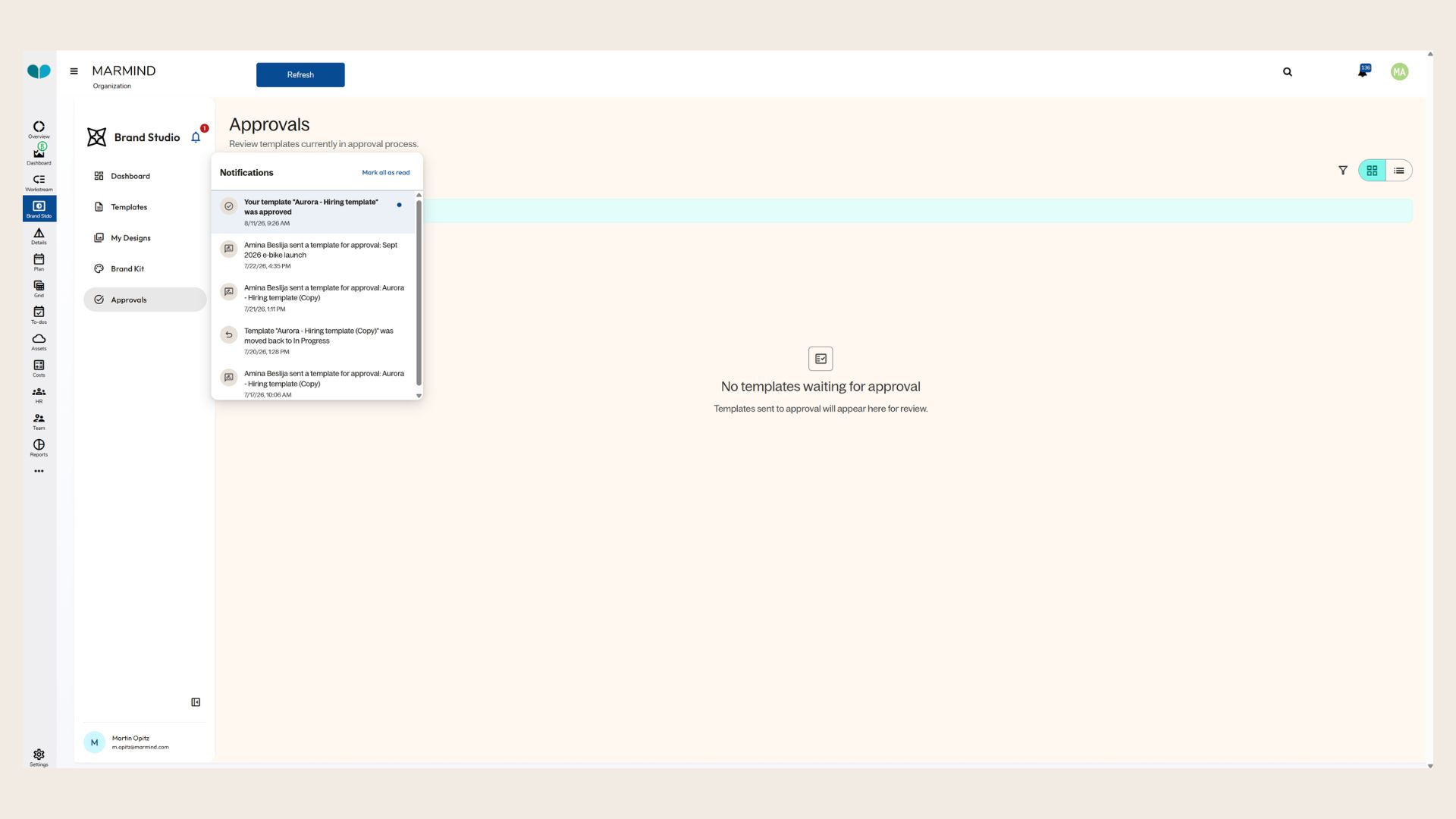
A typical workflow: When a Marmind campaign plan calls for a new regional flyer, Brand Studio executes it: a template with locked brand elements → a user produces the flyer in minutes → it routes through approvals → and it is ready for distribution.
Marmind tells you what work needs to happen. Brand Studio ensures it happens smoothly and at scale.
AI Capabilities
-
AI Assist for content creation: Writes product descriptions, hook lines, and other text based on input and template context.
-
Field validation and smart error detection: Flags issues before submission.
-
Content suggestions: Informed by template context and existing brand assets.
-
Governance violation flagging: Alerts users to compliance issues before the approval stage.
AI operates only within administrator-set bounds. It cannot unlock elements, bypass approvals, or violate brand rules.
Use Cases
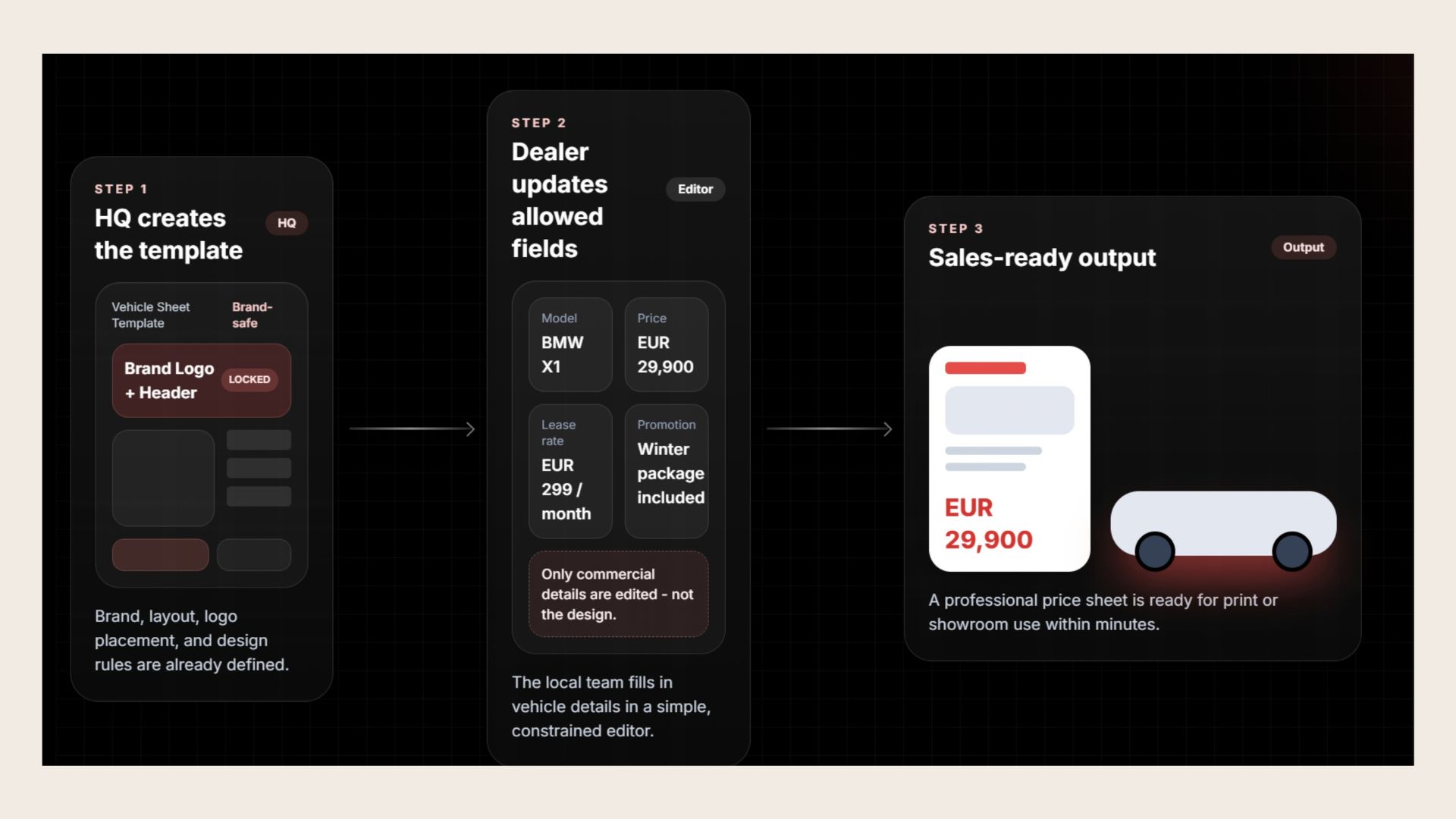
Use Case 1: Brand-Safe Dealer Price Sheets
The use case shows how Entirely Brand Studio enables HQ to create a brand-safe vehicle sheet template with fixed branding, layout, and design rules. Local dealer teams can then update only predefined commercial fields, such as model, price, lease rate, and promotions, without changing the design. The result is a sales-ready, on-brand price sheet that can be generated within minutes for print or showroom use.
Use Case 2: Localized Campaigns at Scale
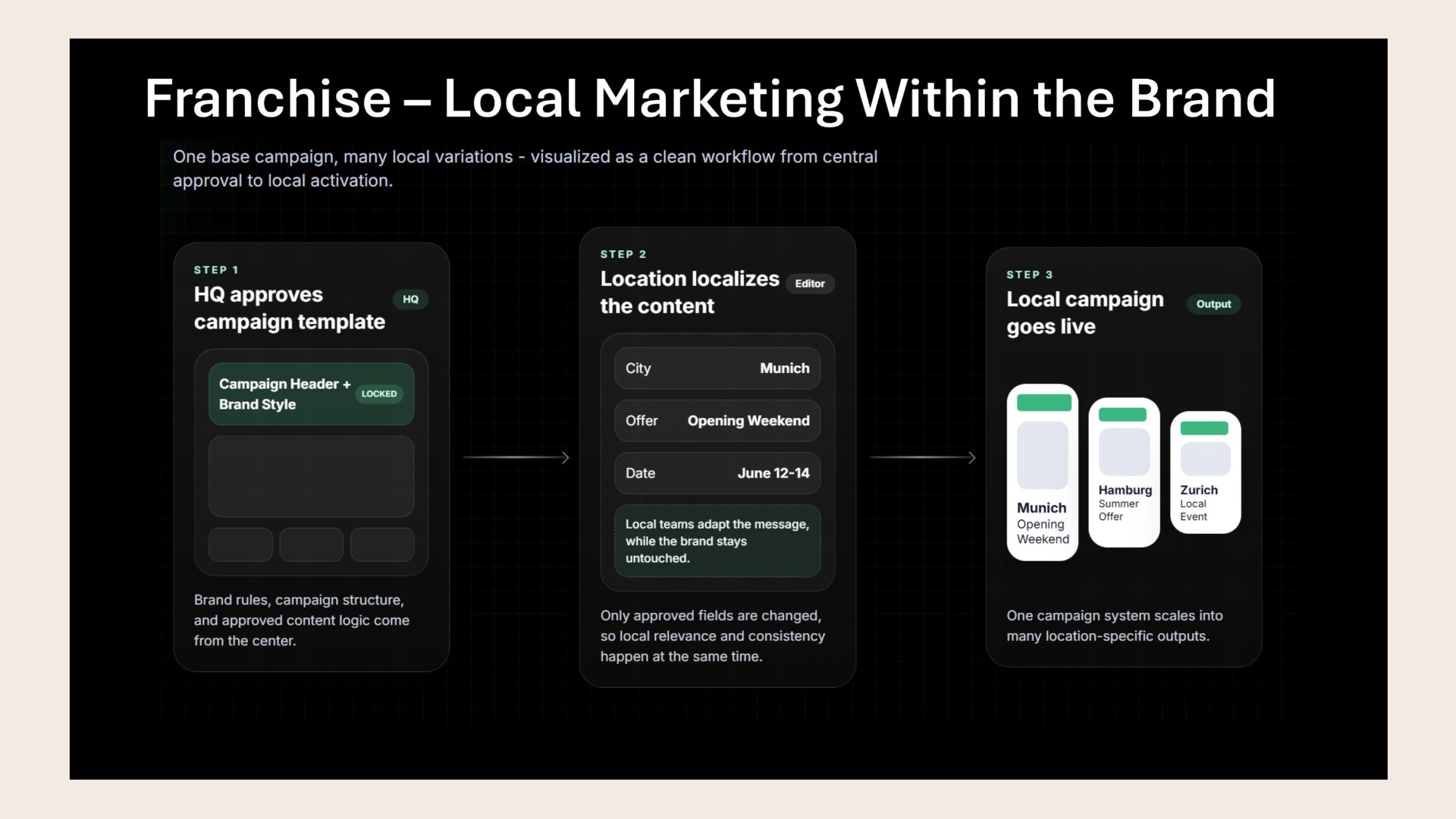
Entirely Brand Studio allows HQ to create and approve a central campaign template with locked brand rules and campaign structure. Local teams can then adapt only approved content fields, such as location, offer, and dates, while keeping the brand design unchanged. This enables one central campaign to be quickly turned into multiple locally relevant, brand-consistent campaigns.
Use Case 3: Centralized Brand Control for Local Digital Signage
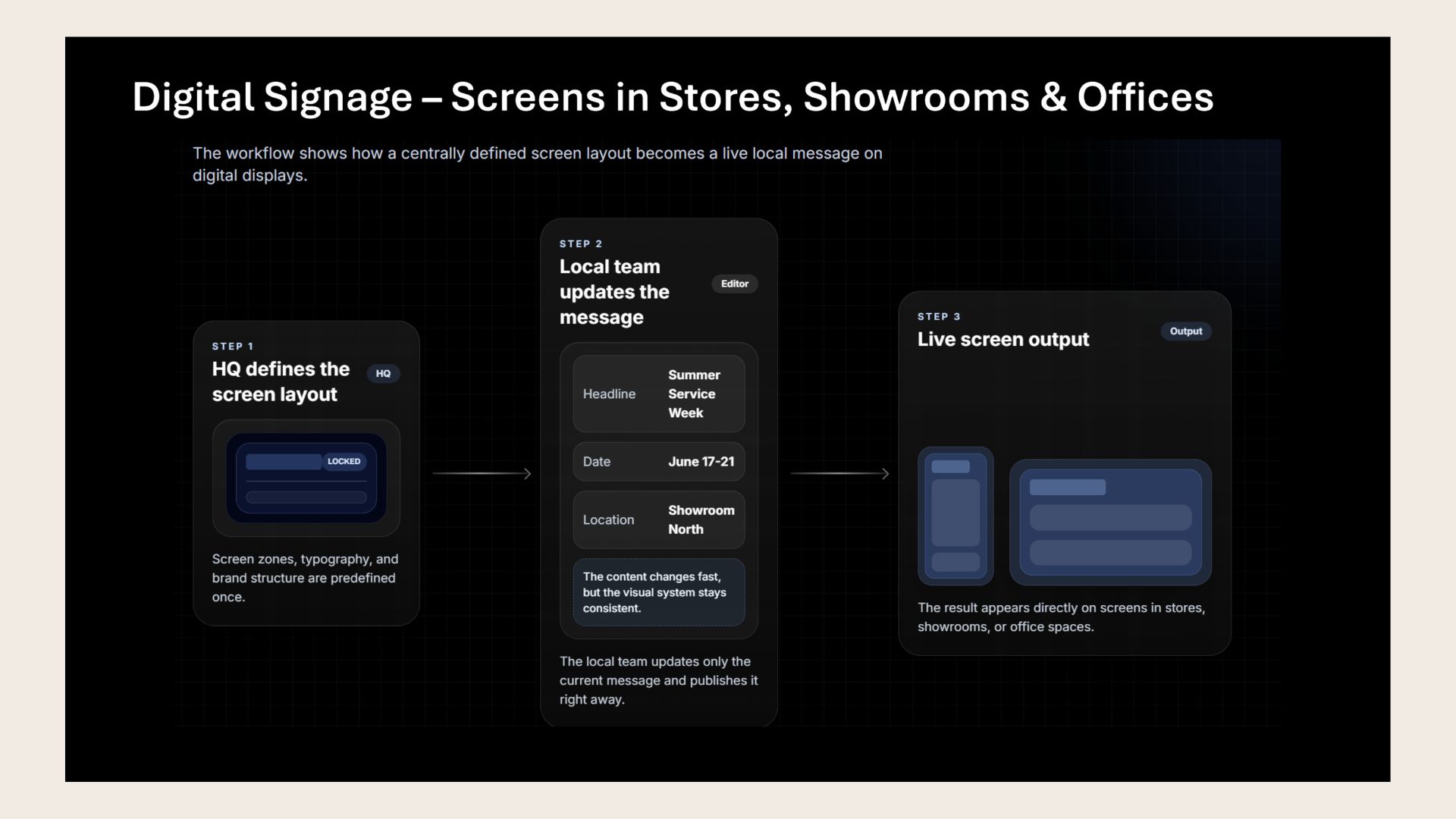
Headquarters defines and locks the screen layout, including zones, typography, and brand structure. Local teams can then quickly update only the relevant message - such as the headline, date, or location - and publish it immediately. The content changes locally while the visual identity remains consistent across screens in stores, showrooms, and offices.
❓ FAQs